New AI Models in AI Game Developer: GPT-6.1 Terra, Gemini 3.8 Flash and Gemini 4 Argon
GPT-6.1 Terra replaces GPT-5.6 Terra, and Gemini 3.8 Flash and Gemini 4 Argon join AI Game Developer. What each is for, who can use them, how to pick one.
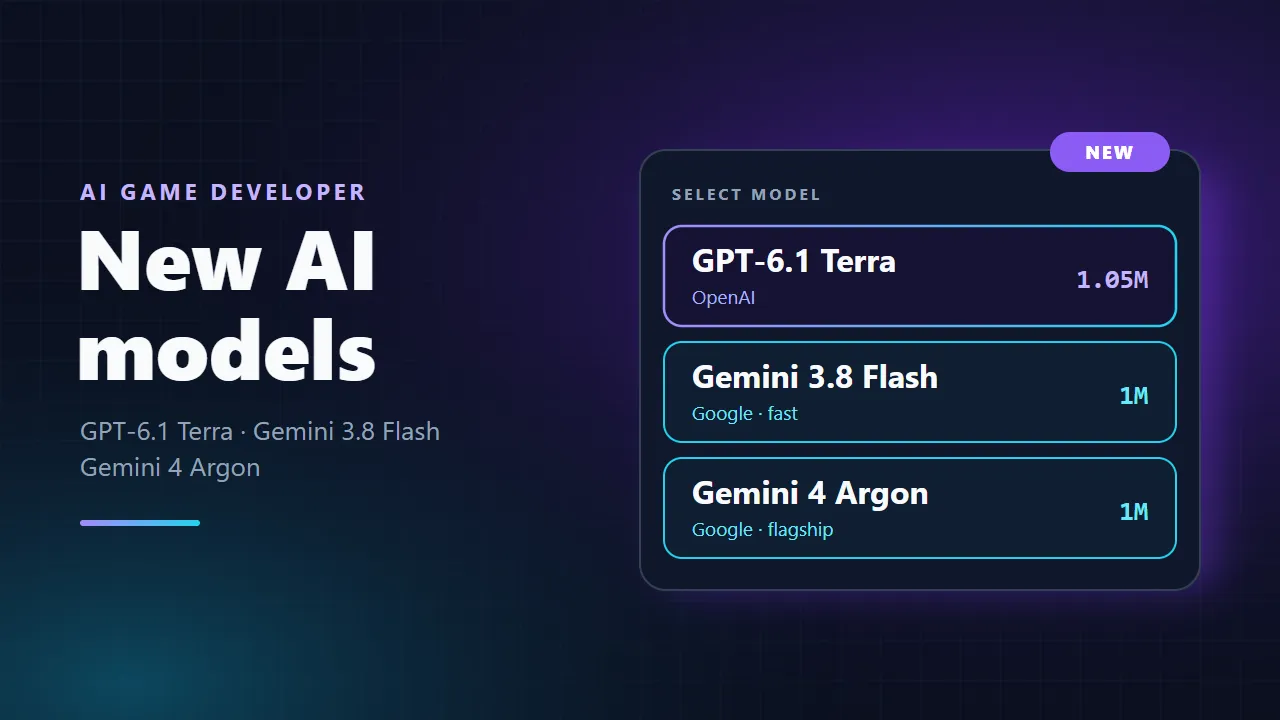
Three new chat models are coming to AI Game Developer. GPT-6.1 Terra from OpenAI replaces GPT-5.6 Terra, and two Google models join the list: Gemini 3.8 Flash and Gemini 4 Argon. This post explains what each model is good at, which plans and accounts can use them, how they count against your plan limit, and how to pick one in the app.
If you are new to AI Game Developer, the quickstart at ai-game.dev/docs/quickstart connects your Unity, Unreal Engine or Godot project in a few minutes.
The New AI Models at a Glance
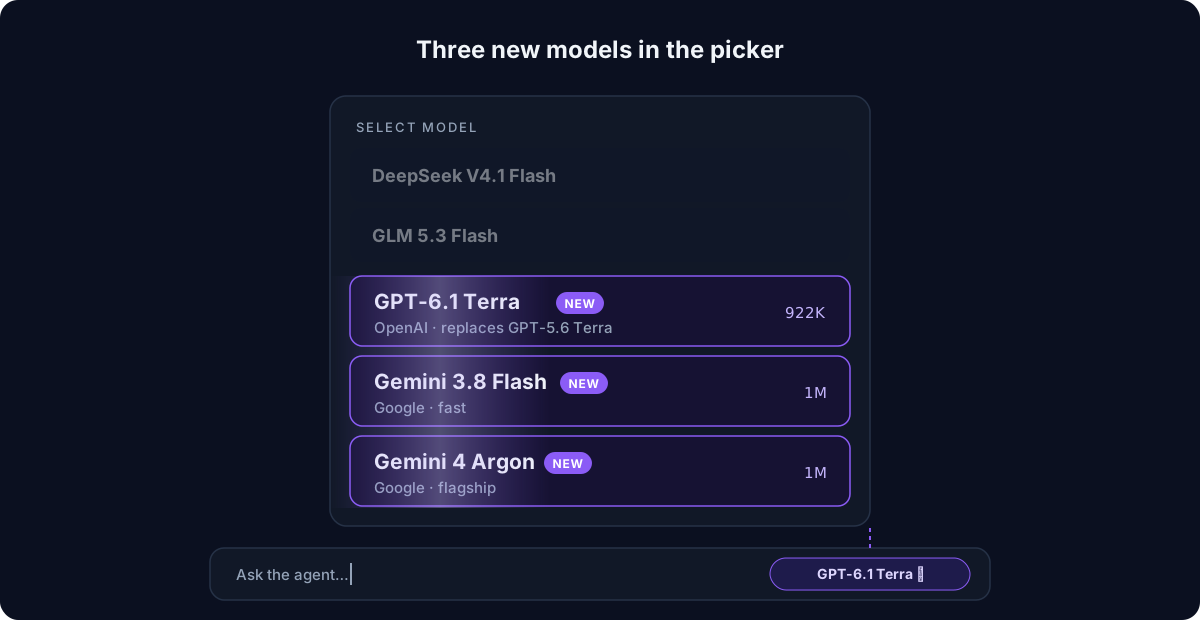
- GPT-6.1 Terra (OpenAI): the new Terra model, with a 1.05M token context window. It replaces GPT-5.6 Terra.
- Gemini 3.8 Flash (Google): a fast model from Google's Flash line with a 1M token context window, for quick iterations and everyday work.
- Gemini 4 Argon (Google): Google's flagship model, released in October 2026, with a 1M token context window, for the hardest coding and design tasks.
GPT-6.1 Terra Replaces GPT-5.6 Terra
GPT-6.1 Terra takes the place of GPT-5.6 Terra. You do not need to change anything: if you chose GPT-5.6 Terra before, your choice moves to GPT-6.1 Terra automatically, and requests that still name the old model are answered by the new one.
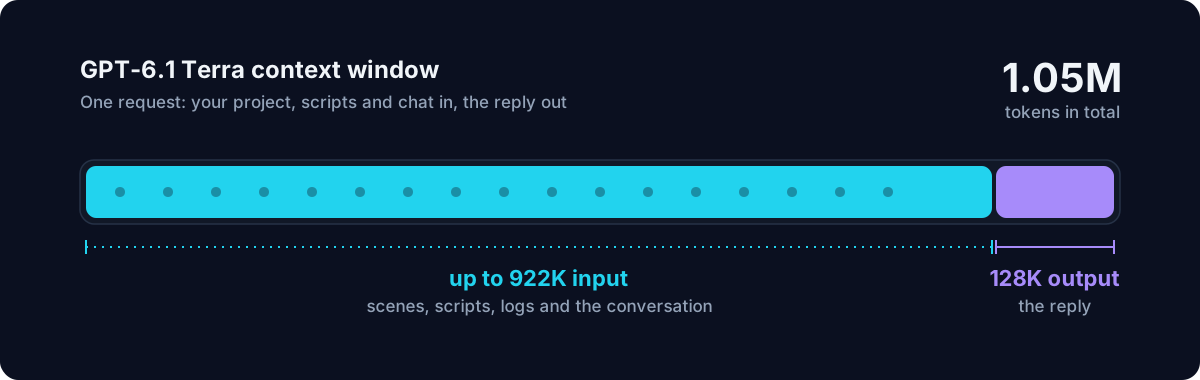
The context window is 1.05 million tokens in total: up to 922K tokens of input and up to 128K tokens of output. The model picker shows the input size, 922K, because that is how much of your project, your scripts and the conversation the model can read at once. In practice this is room for large scenes, long scripts and long agent sessions.
GPT-6.1 Terra also costs less of your plan limit per token than GPT-5.6 Terra did, so the same plan stretches further with it.
Gemini 3.8 Flash and Gemini 4 Argon
These are the first Google Gemini chat models in AI Game Developer.
Gemini 3.8 Flash for Everyday Work
Gemini 3.8 Flash comes from Google's fast Flash line. It suits the many short steps an agent takes inside a game engine: read the scene, change a component, check the console, try again. Its 1M token context window leaves plenty of room for a large project and a long conversation.
Gemini 4 Argon for the Hardest Tasks
Gemini 4 Argon is Google's flagship model, released in October 2026, also with a 1M token context window. Reach for it when a task is hard: a tricky gameplay system that spans many scripts, an architecture decision, a game design question with many trade-offs, or a bug that a faster model could not pin down. For routine edits a faster model is usually the better choice.
Who Can Use the New Models
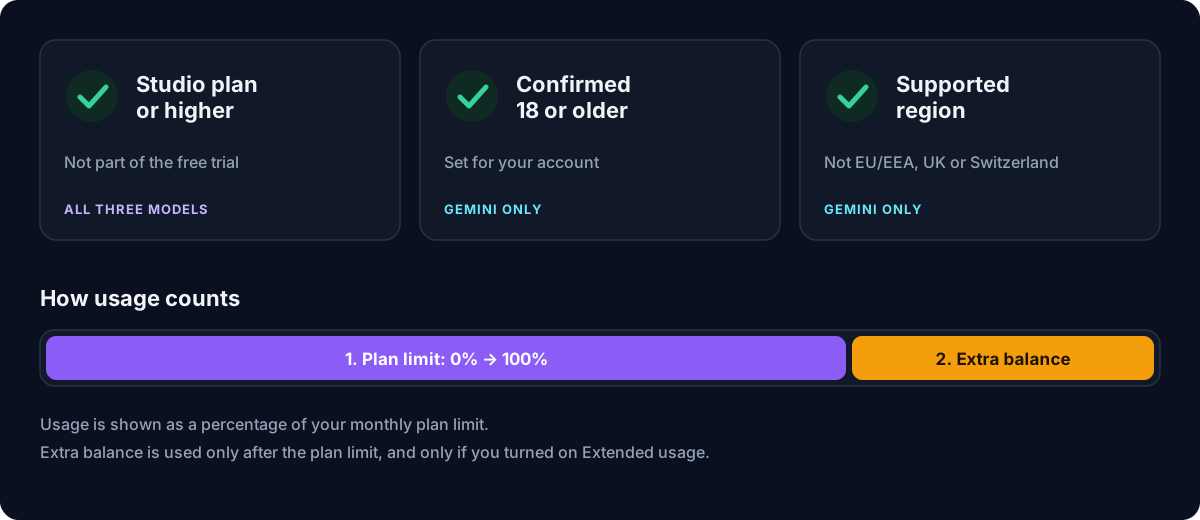
- Plan: GPT-6.1 Terra, Gemini 3.8 Flash and Gemini 4 Argon need the Studio plan or higher. They are not part of the free trial. Plans are compared at ai-game.dev/pricing.
- Age: the Gemini models are available only to account holders who have confirmed in their account that they are 18 or older.
- Region: the Gemini models are not available in the EU/EEA, the UK or Switzerland, or in countries where Google does not offer the service.
The age and region rules apply to the Gemini models only. GPT-6.1 Terra is available on every Studio or higher plan in the countries where OpenAI offers its service. The live list of models by region is at ai-game.dev/model-availability.
How Usage Counts
Every model uses your plan limit first, shown as a percentage of your monthly allowance. When the plan limit runs out, usage can continue from your extra balance if you turned on Extended usage on your account page; it is off until you turn it on. A cheaper model per token, such as GPT-6.1 Terra compared with GPT-5.6 Terra, uses a smaller percentage of your plan limit for the same amount of work.
How to Pick a Model in the App
- Download or update the AI Game Developer App from ai-game.dev/download and sign in.
- Open a chat. The model badge shows the current model in the row of controls of the message box.
- Click the badge to open the model list and pick GPT-6.1 Terra, Gemini 3.8 Flash or Gemini 4 Argon.
- If a model cannot be chosen, the reason is shown under its name, for example Upgrade to Studio or a note that it is not available in your region. The bottom of the list shows the region your availability is based on.
- If you switch models in a chat that is already going, the app asks whether to switch this chat or start a new one. Switching means the new model reads the chat history again, which uses more of your plan limit for the next reply.
Which model to use? Start with a fast model for everyday edits, move to Gemini 4 Argon or GPT-6.1 Terra when the task needs more thinking, and switch back when you are done. Plan mode, described at ai-game.dev/blog/plan-mode-ai-agent-game-development, works well with a stronger model: let it plan, then let a faster model carry out the steps.
Get Started
- Download the app: ai-game.dev/download
- Quickstart guide: ai-game.dev/docs/quickstart
- Model availability: ai-game.dev/model-availability
- Plans: ai-game.dev/pricing
- Discord community: https://discord.gg/cfbdMZX99G
Thank you for building games with AI Game Developer. If you try the new models on your project, tell us how they work for you in our Discord community.